Forms and Inspections
Every job to the same standard, every check measurable
Define your checklists as forms and attach them to work orders. The technician answers the same questions, the consultant reviews every answer, and you see the results as statistics.
Question typesSingle and multiple choice, whole and decimal numbers, text; questions and options with images.
Instructions at handGuidance, warnings and images for each question; required questions can not be skipped.
Versioned formsA published form never changes; you publish a new revision. Past answers stay with their version.
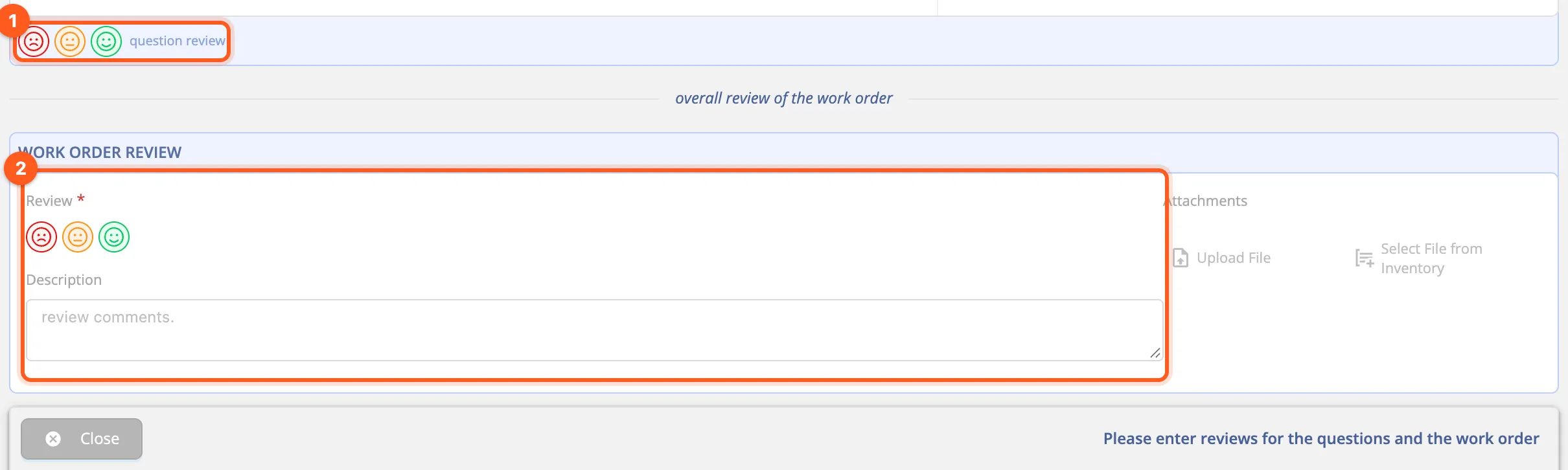
Review per questionThe consultant marks every answer green, amber or red, then approves or sends it back.
The form lifecycle
A published form is attached to work orders and planned maintenance rules. When the questions must change you open a new revision (R1 → R2); the records filled in with the old revision don't change. That answers the auditor's question: "which questions was this inspection done with?"
Review: the consultant's approval
The consultant can be your own employee or an inspection firm. The firm forwards the work order to the inspector who does the review; the review, the report and the attachments stay on the work order.
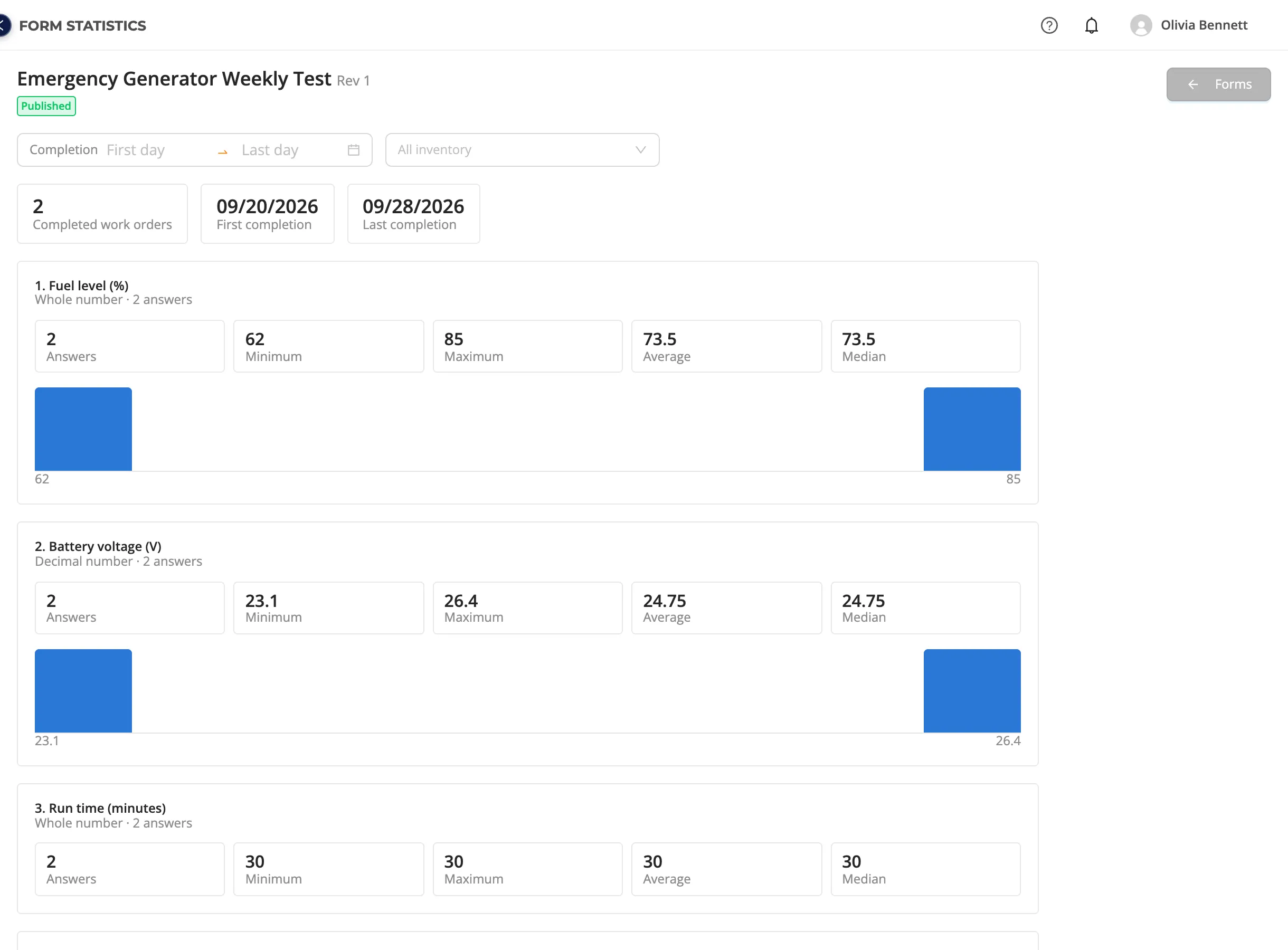
Form statistics
See the answers of a form's completed work orders on one page:
- Choice questions: how often each option was chosen, and its percentage.
- Number questions: minimum, maximum, average, median and the distribution.
- Text questions: the latest answers with the inventory and date.
- Filters: completion date and inventory (e.g. only Emergency Generator G-1).
Ready to try it?Create your organization in a few minutes and use every feature with the trial plan.
Other features
Inventory ManagementLocations, systems, equipment and sub-equipment in one tree; with categories, brands and models, files and tags.Dynamic PermissionsNo roles: permissions are computed from what you assign to whom on the inventory. One model for staff, teams and partners.Work Order ManagementOpen, assign and forward work orders; follow them end to end with forms, photos, comments and time records.Planned MaintenancePut periodic maintenance on a schedule with recurring work order rules and see it on a calendar ahead of time.Working with PartnersYour service and inspection companies work with their own accounts, only on the inventory you allow.