Work Orders
From the moment a work order opens until it is approved
From the front desk that reports the problem to the technician who fixes it, from the service company to the engineer who reviews the work, everyone works on the same work order. Who did what, and when, stays in its history.
The right assigneeA person, a team or an expert company; the inventory manager if nobody is chosen.
Records from the fieldForm answers, photos and files, comments per question and the time worked.
Hold and forwardPut work waiting for parts on hold with a reason; a service company forwards incoming work to its team.
A review stepThe consultant reviews every answer and approves, or sends the work back to be corrected.
The journey of a work order
Statuses move by themselves
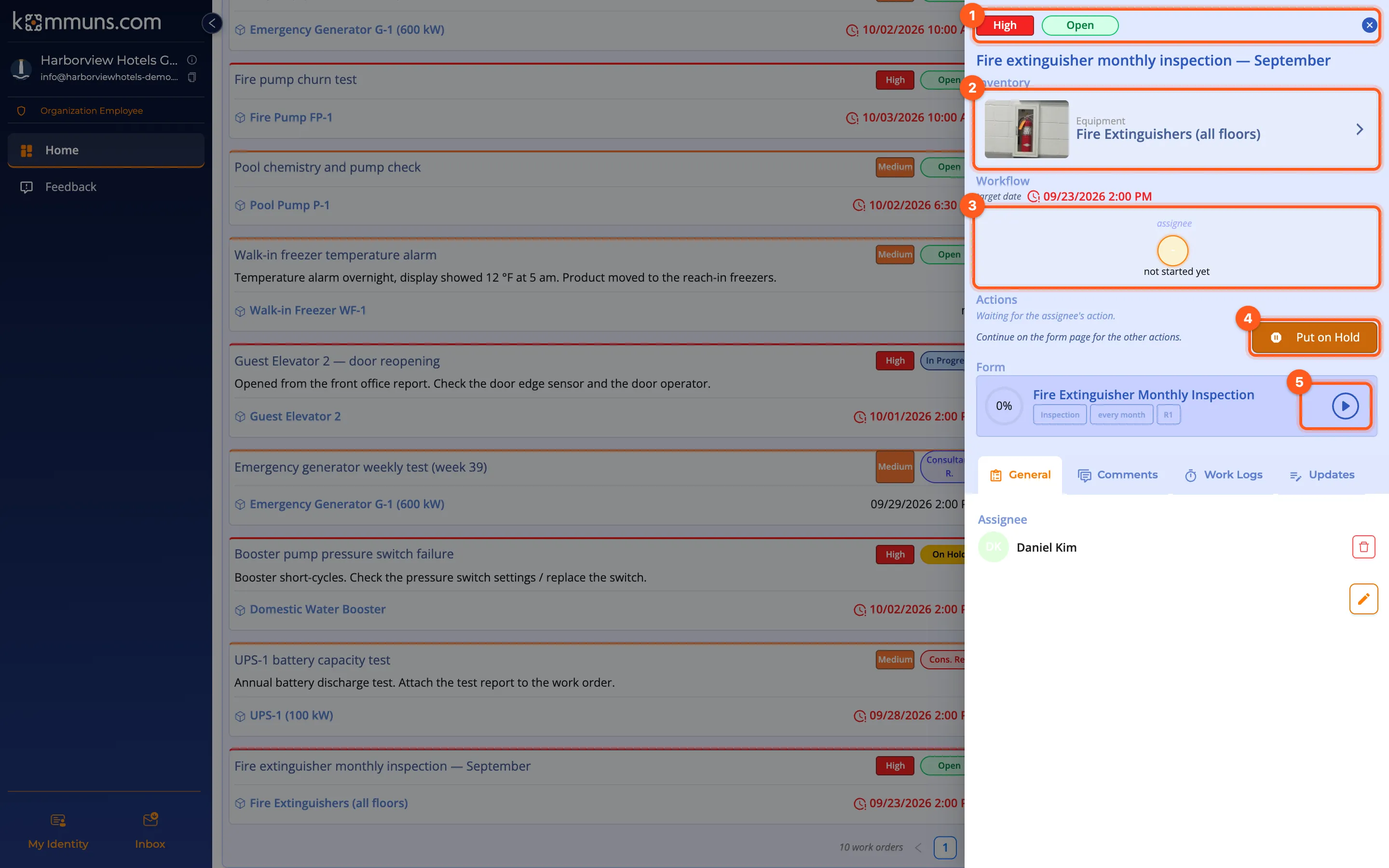
A work order's status is never chosen by hand; it changes with what is done. Your lists always show the truth.
Everyone in their own list — or calendar
- My Work Orders: the work assigned to a person and their teams, on the Home page.
- Company work orders: every work order your permission reaches; filter by status, priority and inventory.
- Incoming Work Orders: the work service and inspection companies receive from their customers; forward it to a team member in one click.
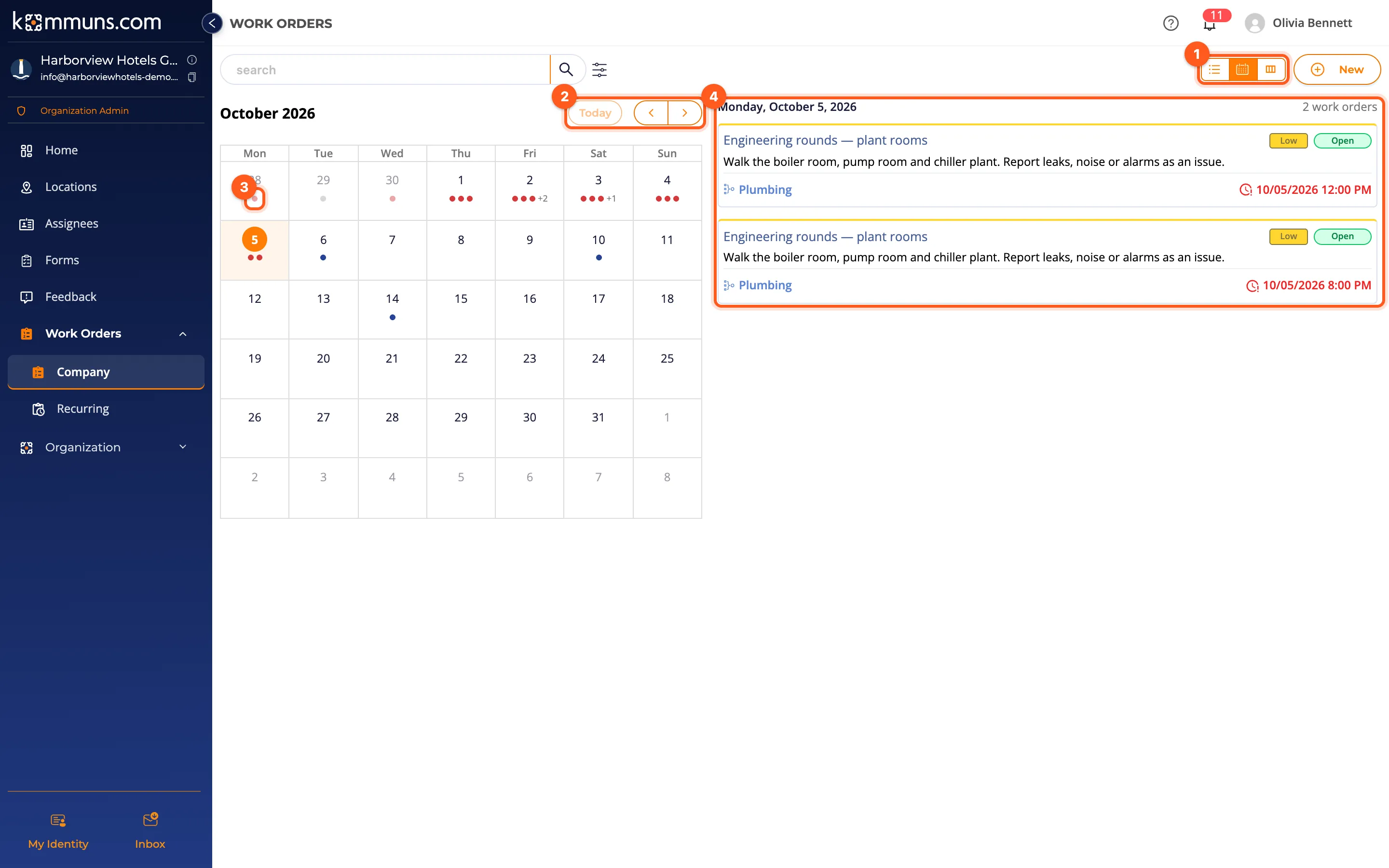
- Calendar view: switch any list to a month calendar by target date; overdue days show in red.
- Notifications: assignments, comments and status changes in the Inbox and by e-mail.
For routine work
Don't open the same job by hand every week: with Planned Maintenance rules the work orders are created on time. Standardize your checklists with Forms.
Ready to try it?Create your organization in a few minutes and use every feature with the trial plan.
Other features
Inventory ManagementLocations, systems, equipment and sub-equipment in one tree; with categories, brands and models, files and tags.Dynamic PermissionsNo roles: permissions are computed from what you assign to whom on the inventory. One model for staff, teams and partners.Planned MaintenancePut periodic maintenance on a schedule with recurring work order rules and see it on a calendar ahead of time.Forms and InspectionsVersioned checklists, consultant approval and answer statistics: maintenance quality you can measure.Working with PartnersYour service and inspection companies work with their own accounts, only on the inventory you allow.