Business Partners
Your service and inspection companies on the same platform
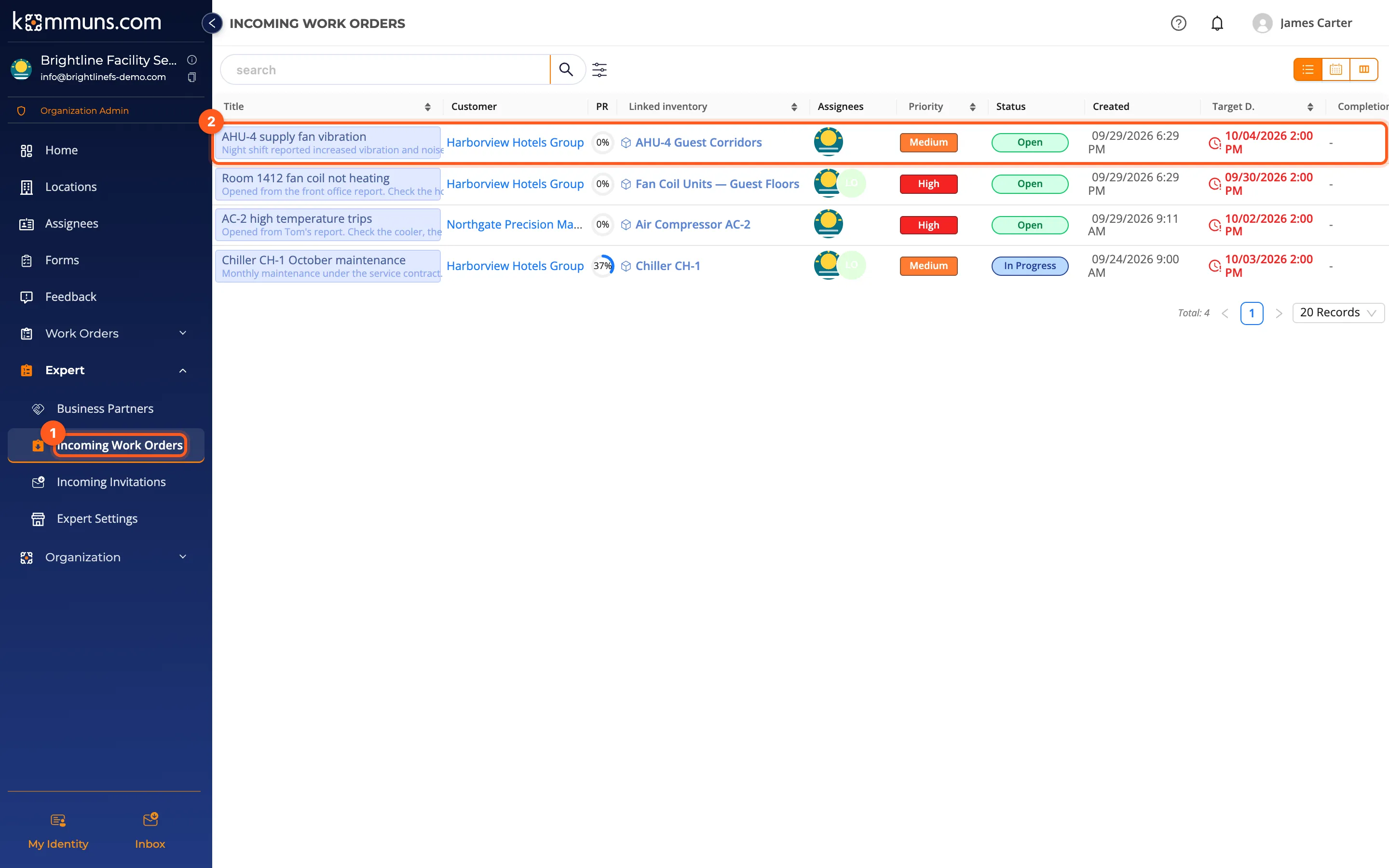
The owner and the companies serving it work on the same inventory and the same work orders. A company signs in with its own account, sees only the systems opened to it and distributes the work to its own team. No more e-mail threads and lost service reports.
Only the access neededGive a company access only on the system it maintains, with the permission definition you choose.
Doing the work or reviewing itThe same company can maintain one system and review another as the consultant.
The company's own teamThe company forwards incoming work to its technicians and passes the permission on, with a limit.
One recordForm answers, photos, reports and approvals — all on the owner's inventory.
How it works
Who sees what?
| Owner | Service / inspection company | |
|---|---|---|
| Inventory | All of it | Only the systems it has a permission on, and below them |
| Work orders | All of them | Those assigned to it and those on its systems |
| Permissions | Decides who works on which system, with which definition | Passes the incoming permission on to its team, at most as much as it got |
| People | Its own team | Its own team; it does not see the owner's employees |
This separation works without extra settings thanks to kommuns' dynamic permission model.
Who is it for?
- Owners: hotels, plants, office buildings, retail and warehouses — follow all their contractors in one place.
- Maintenance and service companies: manage the work of many customers from one account and dispatch it to the team.
- Inspection, testing and consulting firms: record inspections on the customer's inventory and approve them.
Ready to try it?Create your organization in a few minutes and use every feature with the trial plan.
Other features
Inventory ManagementLocations, systems, equipment and sub-equipment in one tree; with categories, brands and models, files and tags.Dynamic PermissionsNo roles: permissions are computed from what you assign to whom on the inventory. One model for staff, teams and partners.Work Order ManagementOpen, assign and forward work orders; follow them end to end with forms, photos, comments and time records.Planned MaintenancePut periodic maintenance on a schedule with recurring work order rules and see it on a calendar ahead of time.Forms and InspectionsVersioned checklists, consultant approval and answer statistics: maintenance quality you can measure.