Delegating a partner permission to your team
When a customer gives you (your organization) a permission on a system, the permission belongs to your organization first. For your employees to work on the customer's inventory, you pass it on to them as an external permission.
Steps
-
Click the customer in Expert › Business Partners.
-
Go to the External Permissions tab and click New.
-
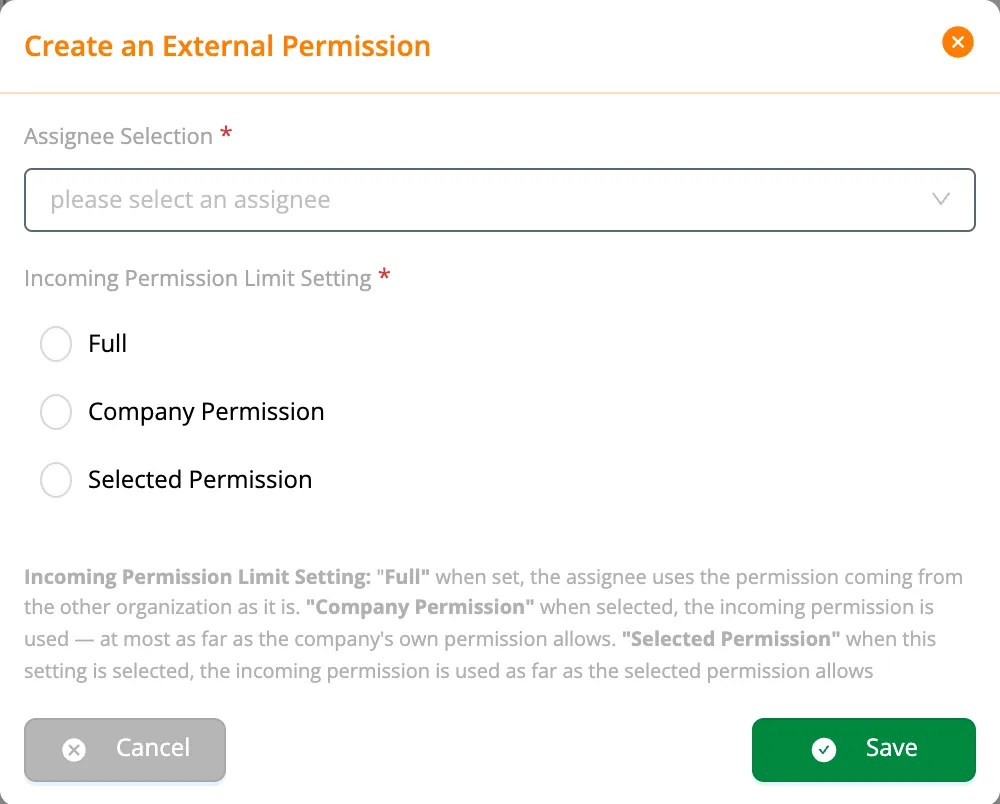
Choose your employee (or team) under Assignee Selection.
-
Choose the Incoming Permission Limit Setting:
Setting How much does the employee use? Full All of the permission from the customer Company Permission As much of it as the employee's permission in your organization allows Selected Permission As much of it as a permission you choose allows -
Click Save.
A permission passed to a team is used by the team's captain (whose In Team permission has Using Team Permissions on). If an employee is in several records, the results combine and the widest wins; a Full record always gives the whole permission. An employee in no record can not see the customer's inventory.
∩: for each permission, the narrower of the two. The calculation in detail: How your permission is computed
For field technicians, a narrow Selected Permission (e.g. only working on work orders — Brightline uses its own Field Technician permission) is safer than opening the customer's whole permission to every employee.