Form statistics
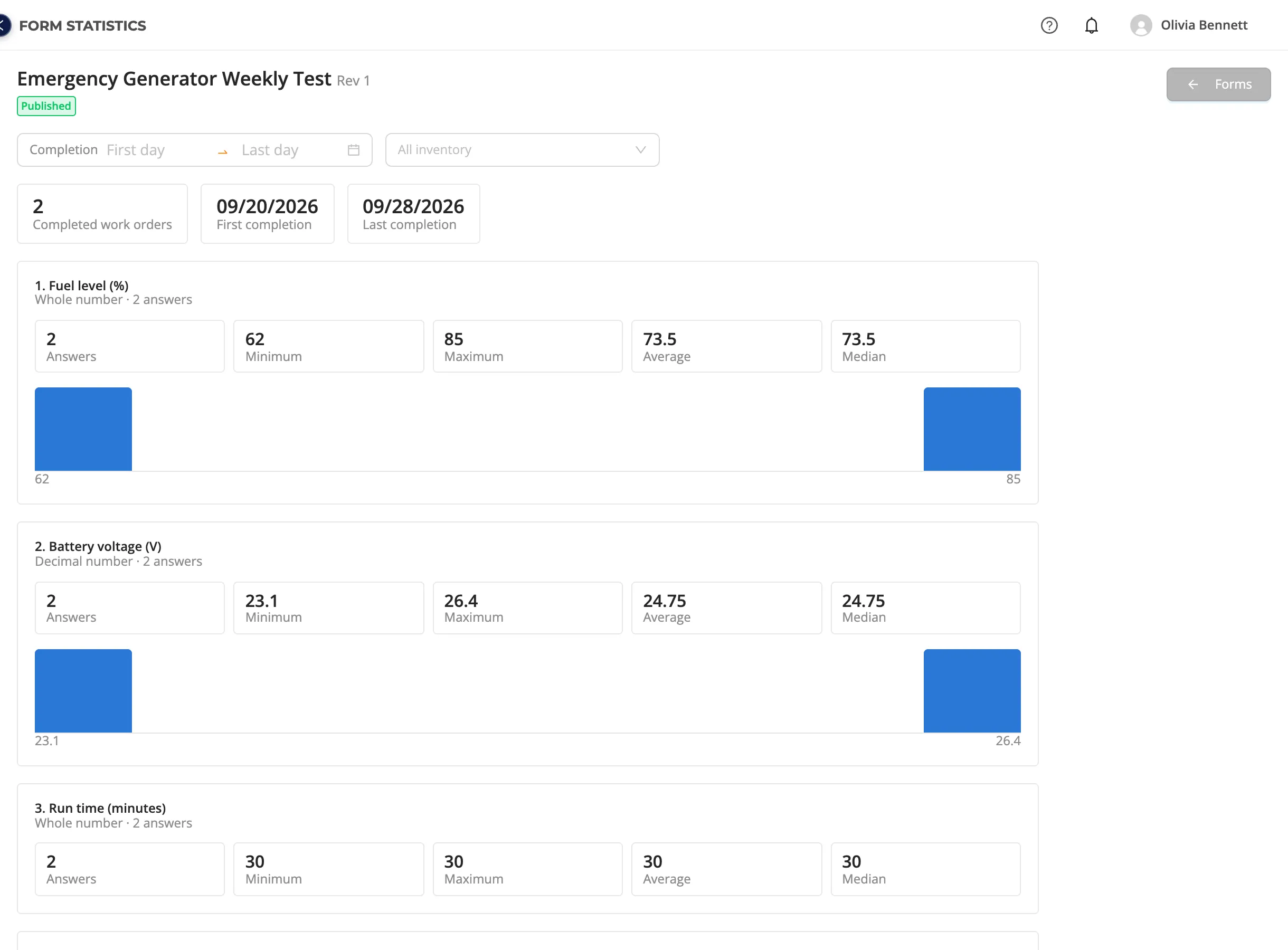
Form statistics summarizes the answers of the checks done with a form on one page. For example, you see the range of the battery voltage in the weekly generator test, or how often "Filters replaced? Yes" was answered in the filter checks.
How to open it
In the Forms list, click the bar chart icon (See the answer statistics) among the form's usage icons, or the same icon left of Edit on the View Form page. The icon is shown if at least one work order was completed with that revision of the form. See the usage icons.
What does it count?
- Only the revision you opened is counted. If a new revision has been published, open its statistics from the new revision's icon; revisions are not mixed because the questions may have changed.
- Only completed work orders are counted: the answers of unfinished or cancelled work do not affect the result.
- The tiles at the top show the number of completed work orders and the first and last completion dates.
Filters
| Filter | What it does |
|---|---|
| Completion (First day – Last day) | Counts only the work orders completed in this range. |
| Inventory (All inventory) | Counts only the work orders completed on the location, system or equipment you choose (and below it). Only inventory with work completed with this form, and its parents, is listed. |
How each question type is shown
| Question type | Shown as |
|---|---|
| Single choice, Multiple choice | A bar per option: in how many answers it was chosen, and its percentage. Options never chosen are listed too. For multiple choice the total can exceed 100%. |
| Whole number, Decimal number | The number of answers, minimum, maximum, average, median and a histogram of the answers. |
| Text | The latest answers with the inventory name and the completion date. |
A question nobody answered says "This question has not been answered." Answers of other question types, like photos, are shown on the work order itself.
Define pressures, temperatures, voltages and other readings as Whole number or Decimal number questions and you see their average and distribution here. Readings asked as text are only listed.