Creating forms
A form is the checklist filled in on a work order: Chiller Monthly Maintenance Checklist, Emergency Generator Weekly Test, Fire Extinguisher Monthly Inspection, Forklift Daily Pre-Shift Check… Build it once and use it on as many work orders and recurring work order rules as you like.
Steps
- Go to Forms in the side menu and click Create Form.
- Enter the Form Name, the Form Type (Maintenance, Inspection, Test, Predictive Maintenance, Other, Work order) and a Description.
- Optionally say how often the form is filled in under Suggested Repeat Rules (e.g. 1 · once a month). It is shown on the form cards and is a suggestion for planning.
- Under Predefined Warnings, write the safety warnings the person filling in the form must know up front (e.g. Lock out and tag out the equipment before starting).
- Click Save and Continue. The form is saved as a Draft.
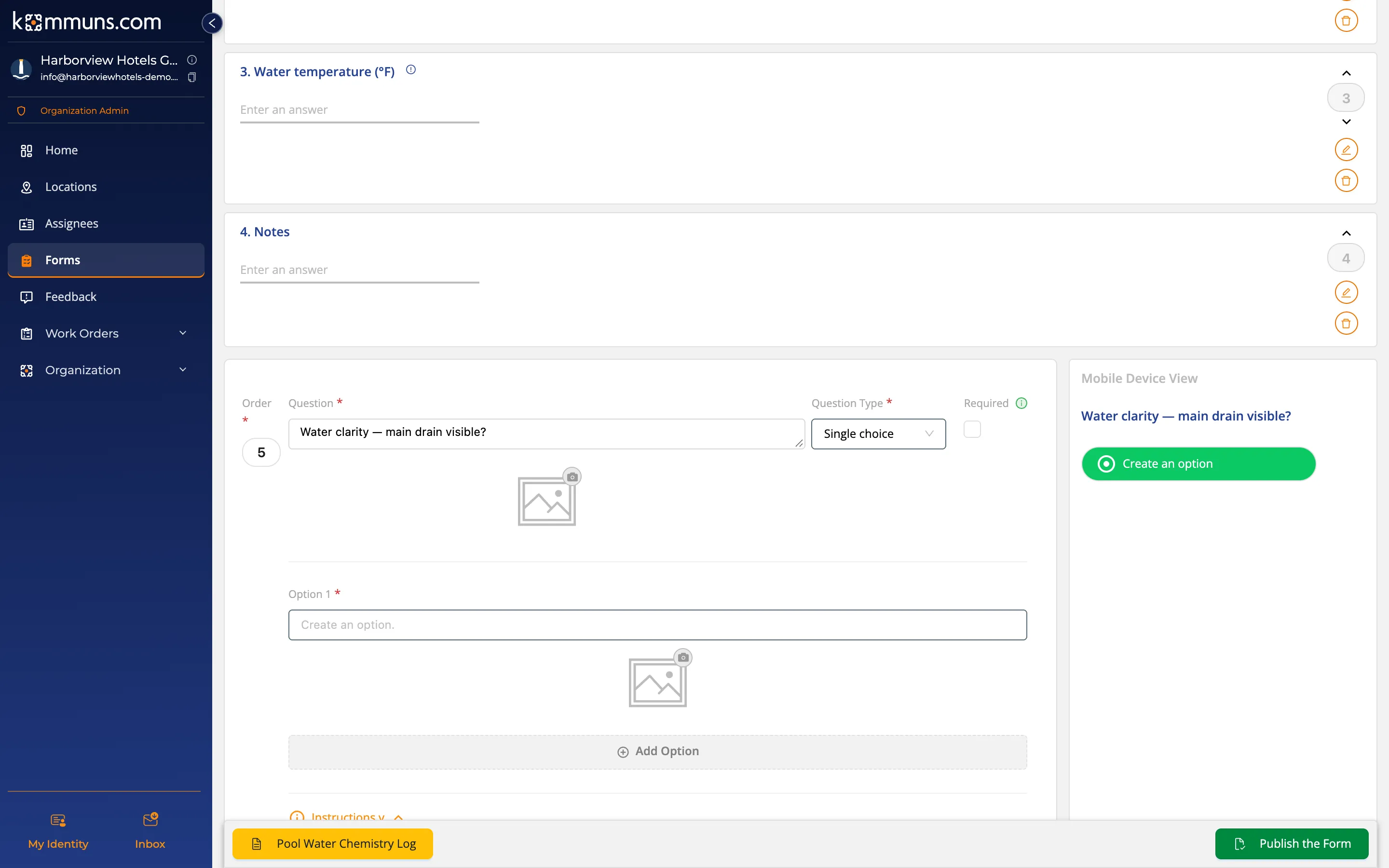
- Click Edit and add the questions with Add Question (below). Click Save the Question for each.
- When the questions are ready, click Publish the Form. Only published forms can be attached to work orders.
Question types
| Question type | When? | Example |
|---|---|---|
| Single choice | One option is chosen | Started on the first attempt? Yes / No |
| Multiple choice | Several options can be chosen | Work performed: Filter drier replaced, Oil added, Refrigerant added… |
| Whole number | Counts | Number of extinguishers checked |
| Decimal number | Measurements | Condenser pressure (psi), Battery voltage (V) |
| Text | Notes and findings | Locations of missing or damaged units |
- Enter the options of a choice question one by one with Add Option; each option can have an image.
- A work order can not be completed until its Required questions are answered; optional ones can be left empty.
- Instructions: add guidance to a question (e.g. how to take the reading). The person filling in the form sees it with the ⓘ icon next to the question. A question can also have an image.
- The Mobile Device View on the right shows how the question will look in the field.
For a good form
- Order the questions the way the work is done on site (outside to inside, readings before checks).
- Put the unit in the question: Filter differential pressure (in. w.c.).
- Ask Yes/No questions so that the "good" answer is always the same, or use the red/amber/green review of the consultant.
- Ask readings as numbers, not text: then Form statistics shows their average and spread.
Attaching a form to work
- One-off work: Form Selection when creating a work order.
- Periodic work: Form Selection in a recurring work order rule.