Organization details
Organization › Other Settings shows your organization's card: name and logo, organization type, identity e-mail address, phone, website, tax details, registration date, country, time zone, address and map position.

To change the details, click Edit at the bottom right of the card, update the fields and save.
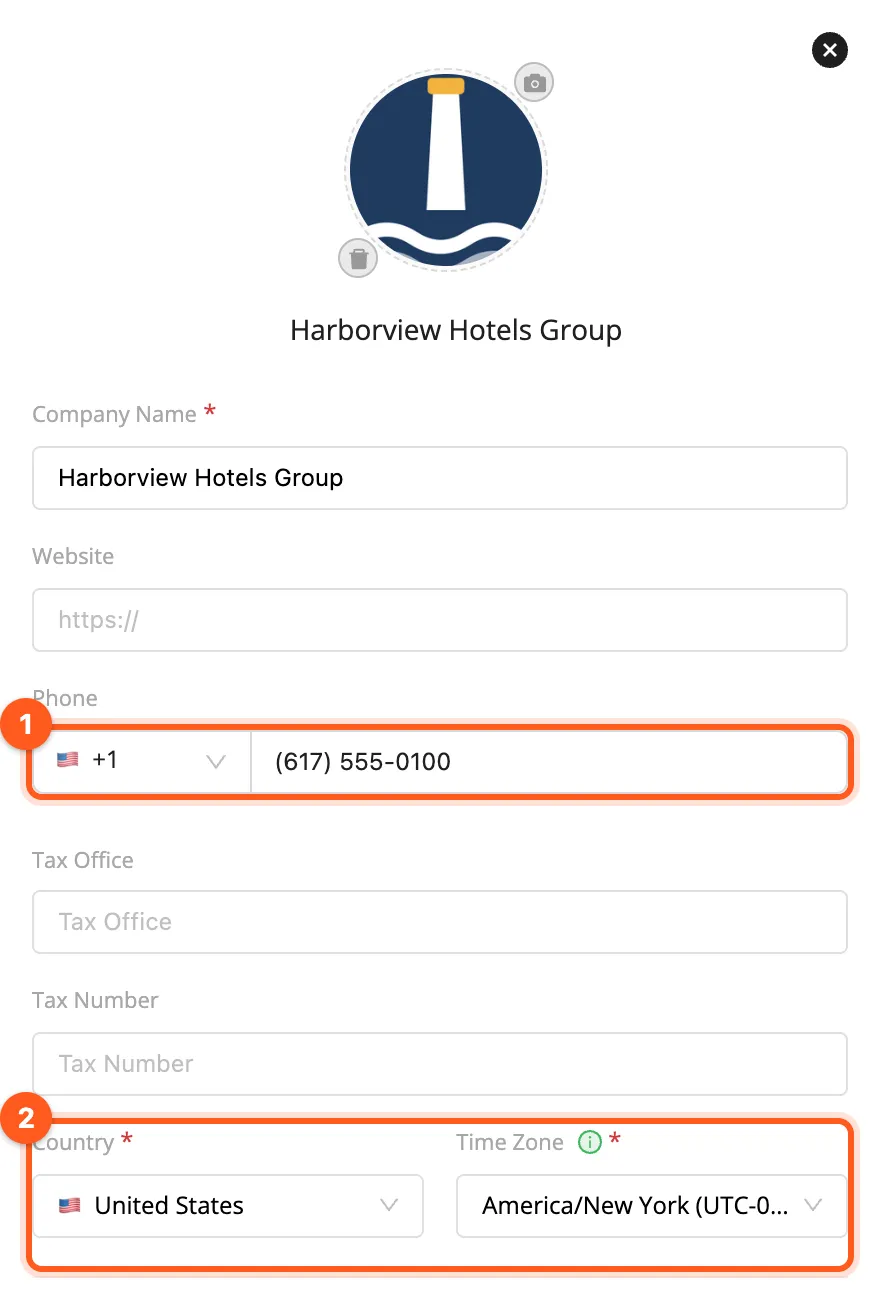
Country and time zone
- Time zone: recurring work orders are created at the times of your organization's time zone. A rule set to 7:00 AM runs at 7:00 AM in that zone, whatever time zone the person who created it is in; daylight saving time is followed. The Next Run times in the lists are shown in your browser's time. When you change the time zone, the existing rules keep their clock times (7:00 AM stays 7:00 AM) and their Next Run moves to the new zone right away.
- Country: the default country code of the organization's phone numbers (organization phone, employee invitations). Choosing a country proposes its time zone; for countries with several time zones (e.g. the United States) pick the right one.
- Phone: choose the country code from the list and type the number; it is formatted as you type. A number pasted
with its code (
+1 617 555 0142) picks its country by itself.
The identity e-mail address
The organization identity e-mail address is the address your partners use to invite you. If you are an expert company, share it with your customers.
Reach your organization's settings from My Organization Settings in the user menu at the top right, or from the Organization group in the side menu.