Signing up and signing in
You can sign in to kommuns with your Google account or with your e-mail address. Your account is created the first time you sign in.
With a Google account
- Go to app.kommuns.com.
- Click Continue with Google and choose your Google account.
With an e-mail address
-
On the sign-in page, type your e-mail address and click Continue.
-
If there is no account with this address yet, the Create a New Account screen opens. Check the address and click Continue.
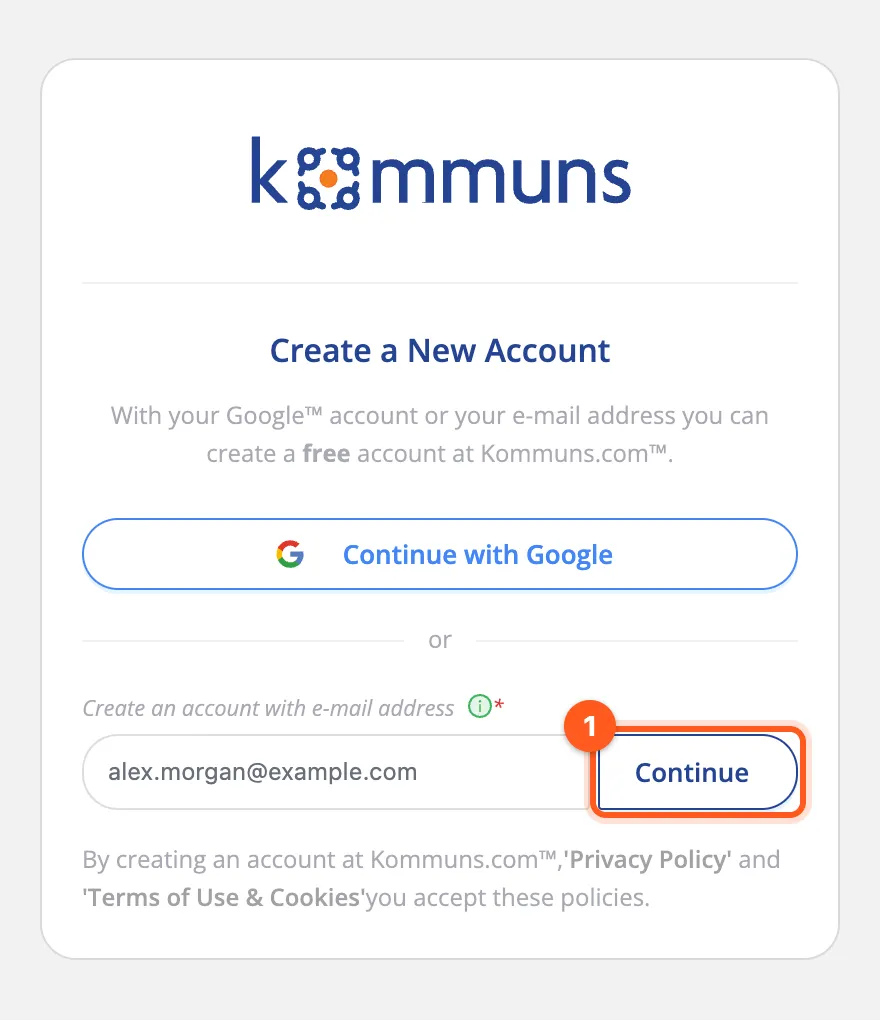
Create a New Account: check your e-mail address and click Continue. -
A verification e-mail is sent to your inbox. Click the link in it.
-
Fill in the form that opens:
- Name, Last Name, Date of Birth (required)
- Profession and Mobile Phone (optional)
- ID Number (required; a national ID or passport number)
- Password and Password (again)
-
Tick Privacy Policy and Terms of Use & Cookie Policy. Each checkbox opens its text; after reading it, click Confirm.
-
Click Complete Registration. After the message that your account was created, sign in with your password.
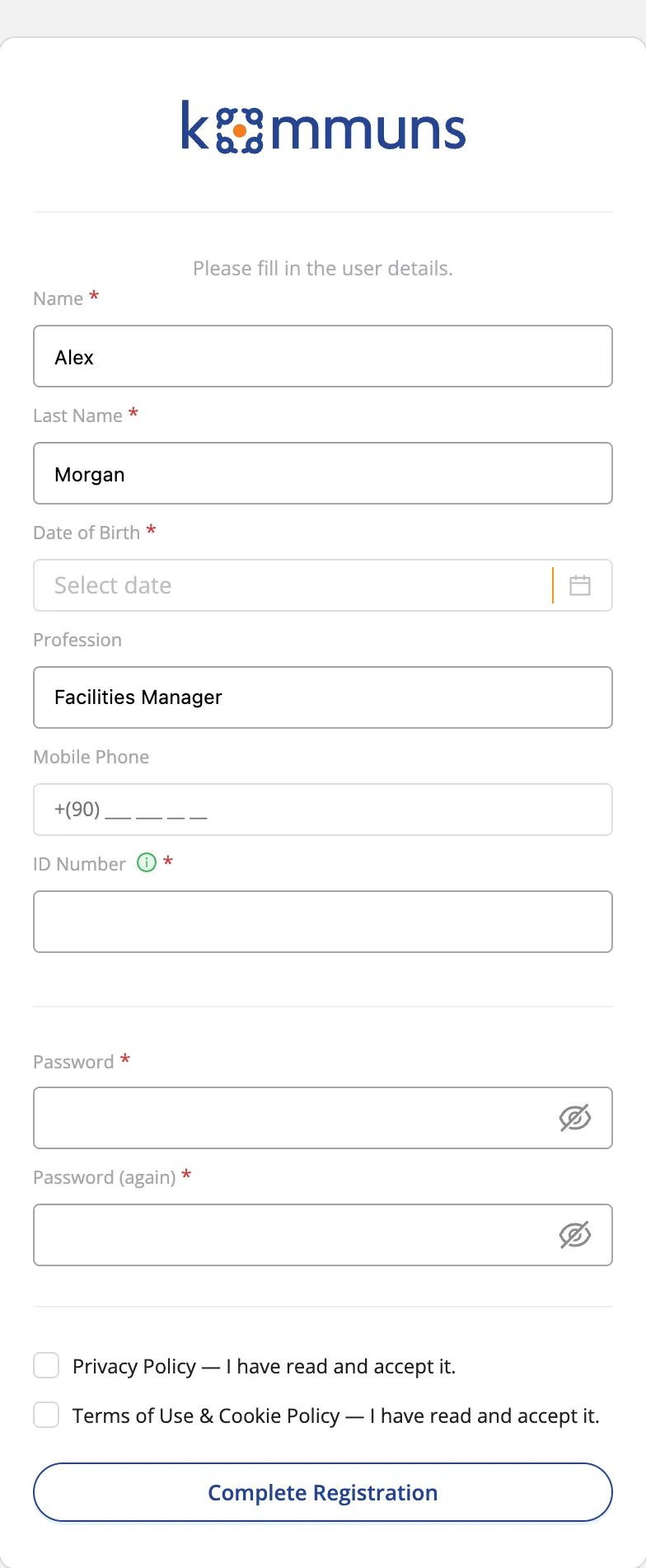
The registration form opened from the verification link.
Choose your country code from the list (your browser's country is preselected) and type the number, e.g.
(617) 555-0142. A number pasted with its code (+1 617 555 0142) picks its country by itself. The field is optional.
After you sign in
The Lobby opens after you sign in. If you are not in an organization yet, you have two options:
- Create an organization for your company.
- Accept the invitation of the company that invited you. Invitations appear in the Lobby and in your Inbox.
The app opens in your browser's language (English or Turkish). You can change it at any time from the user menu — see Language.
Common questions
- The verification e-mail did not arrive: check your spam folder and try again after a few minutes.
- I forgot my password: type your e-mail address on the sign-in page and use Forgot your password?.