Equipment and sub-equipment
Equipment is a physical asset you maintain and track: a chiller, an air handling unit, an emergency generator, a UPS, an elevator, a CNC machine, a forklift, an espresso machine… Sub-equipment is a part of it that you track separately: a compressor, a fan motor, a filter bank, a battery cabinet, a spindle…
Creating equipment
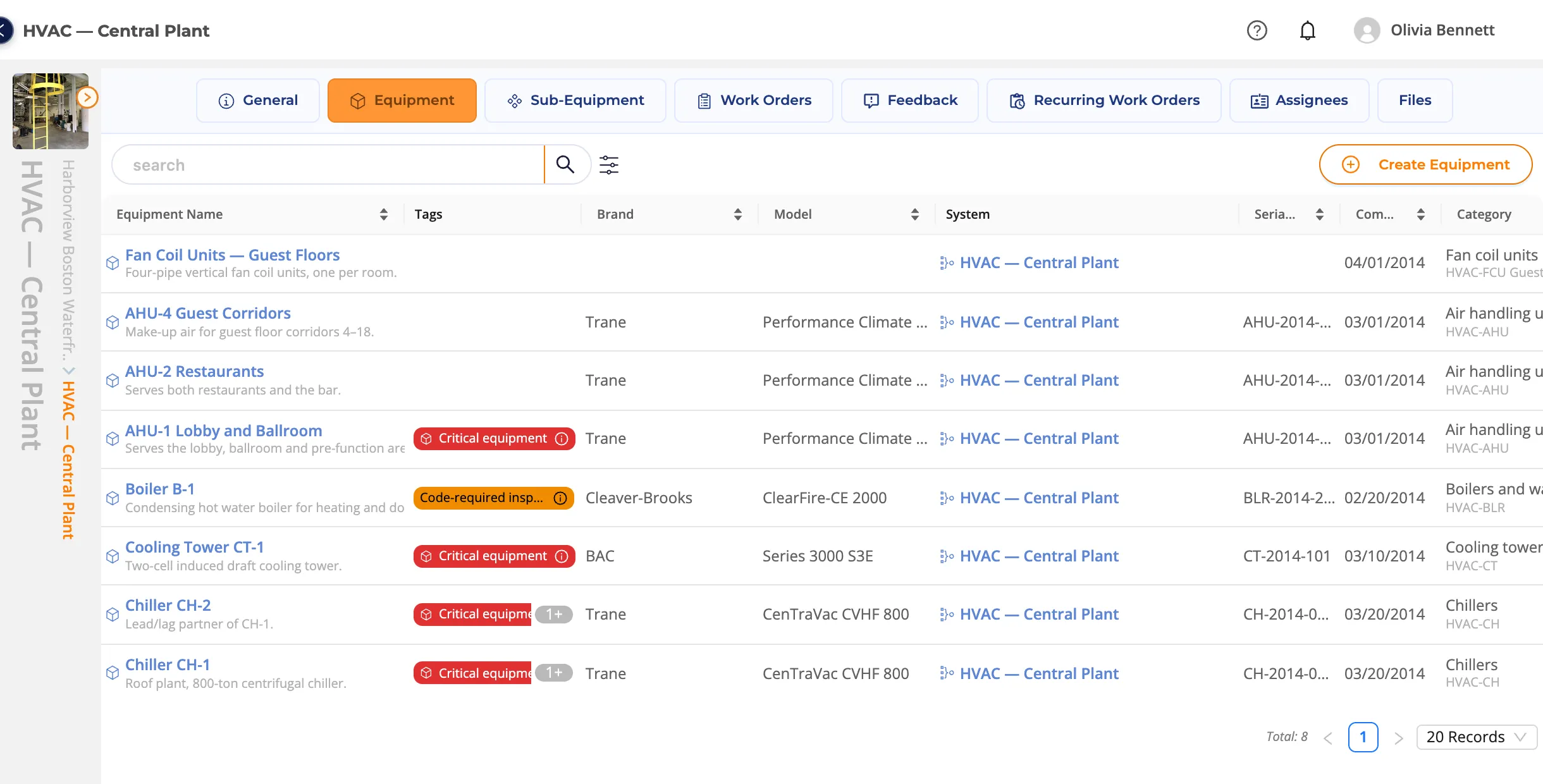
- Open the system, go to its Equipment tab and click Create Equipment.
- Upload a photo. It is shown in equipment lists, on work orders and in the diagrams.
- Enter the Equipment Name (e.g. Chiller CH-1), a Description and Tags (e.g. Critical equipment, Under warranty).
- Commissioning Date and Serial No.
- Category Selection (e.g. Chillers).
- Equipment Details: Brand and model. Brands and models that are not in the list are added under Organization › Brand & Model.
- Inventory Properties: use Add a New Property to enter measurements with their unit: dimensions and weight, quantity, power (W, kW, hp), cooling/heating capacity (kW, kcal/h, BTU/h), apparent power (kVA), flow (m³/h, l/s), pressure (bar, kPa), temperature (°C), volume (l, m³), current (A) and voltage (V). For example Cooling capacity 2,813 kW for a chiller or Apparent power 750 kVA for a generator.
- Position: Floor No, Room No; optionally mark it on the map with add a location.
- Other: Warranty End Date and Equipment Lifetime (in months).
- Click Save.
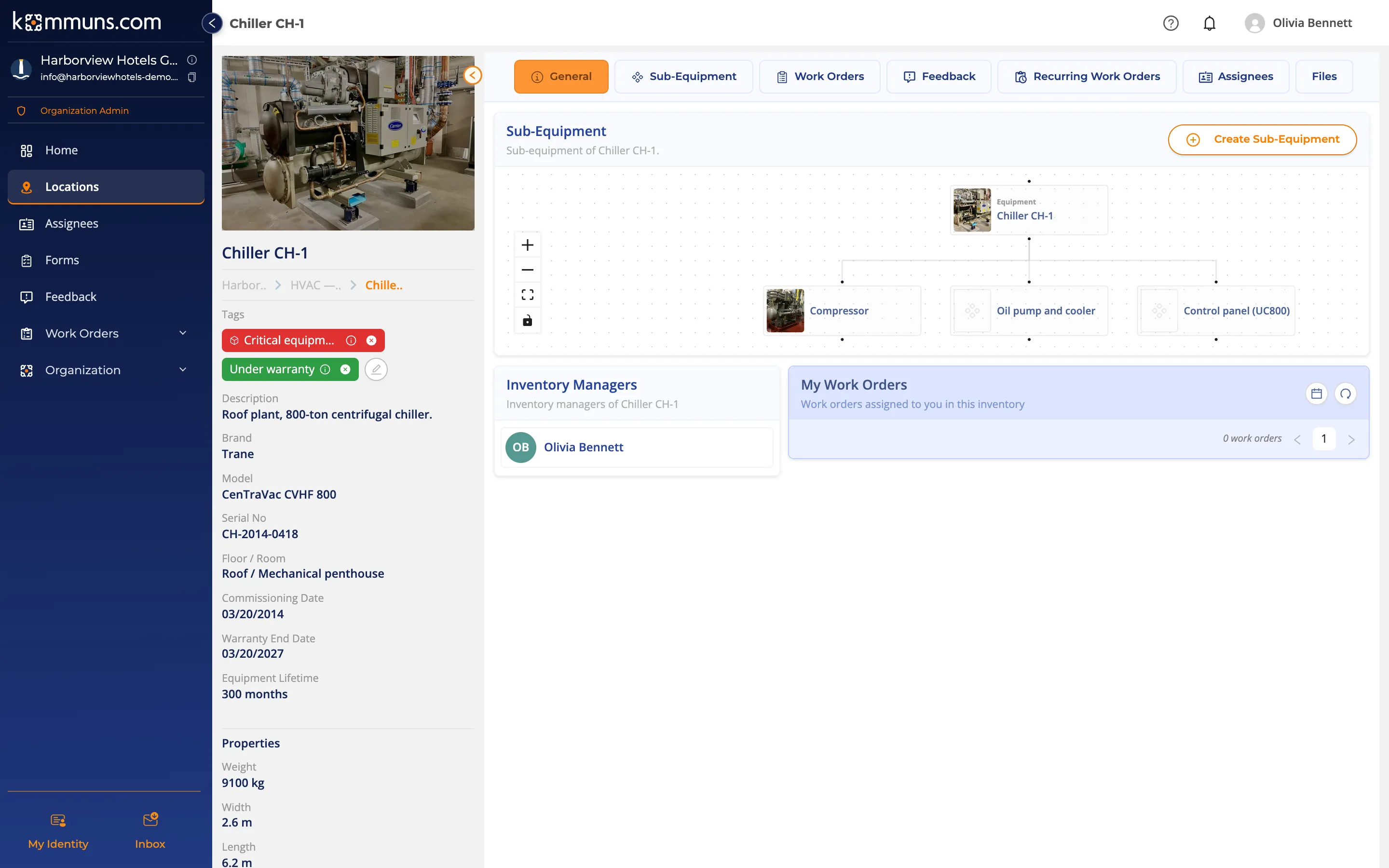
The equipment page
On an equipment's General tab you see the sub-equipment diagram, the inventory managers and the work orders assigned to you. The arrow next to the photo at the top left opens all its details (tags, brand, model, serial number, floor/room, dates, lifetime and measurements). Click the photo to see it enlarged.
Sub-equipment
- On the equipment's General tab click Create Sub-Equipment (or use the Sub-Equipment tab).
- Enter the name, description, photo, category, brand/model and serial number, and click Save.
You can open work orders, leave feedback and give permissions on sub-equipment too.
Tips
- If you have several units of the same model, number them (AHU-1, AHU-2…) and enter their serial numbers — they are much easier to tell apart in searches and reports.
- Tag critical equipment; the red tag makes it stand out in every list.
- Upload the manual, the warranty certificate and service reports to the equipment's Files tab.
- Some measurement units are metric only for now (e.g. flow in m³/h, pressure in bar or kPa); horsepower and BTU/h are available for power and capacity.