Review and approval
If a work order has a consultant (reviewer), it does not close when the assignee completes it; it goes to Consultant review and waits for the consultant's review. Periodic inspection firms, internal auditors or the manager who ordered the work use this step.
How is a consultant assigned?
- With Select Consultant when the work order is created (see Creating work orders).
- In a recurring work order rule: every work order the rule creates gets the same consultant.
If the consultant is a company (e.g. an inspection firm), the company's admin passes the work order to the employee who does the review with Forward. Only a consultant assigned to the work order as a person can do the review.
In the demo, Harborview's weekly generator test has Castell Inspection & Engineering as its consultant; Castell's lead inspector forwards each test to the inspector Noah Patel.
Steps
-
In Home › My Work Orders, open the work order whose status is Consultant R. (Consultant review).
-
Click ▶ on the form card. The assignee's answers are shown in the preview.
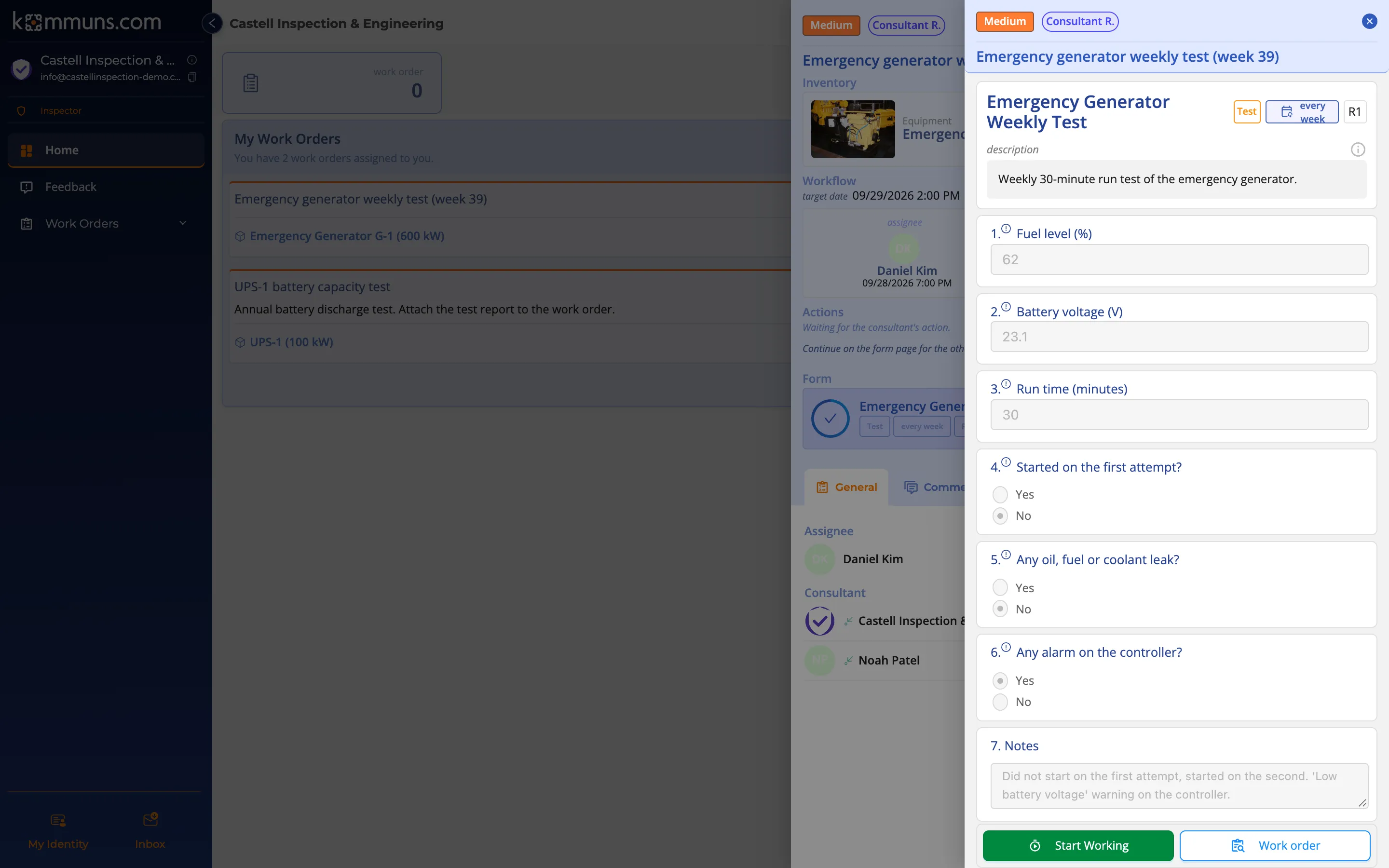
The consultant sees the assignee's answers in the form preview — here a generator that did not start on the first attempt. -
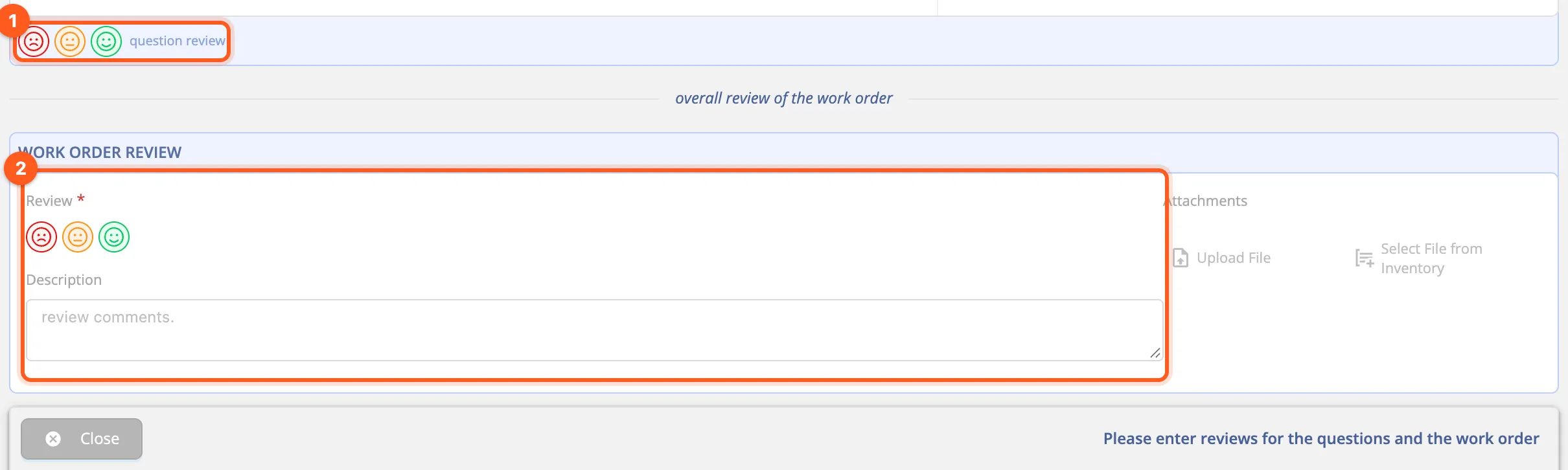
Click Start Working. Question review icons appear under each question: 😞 red (not acceptable), 😐 amber (attention), 🙂 green (acceptable).
-
Review every question.
-
In the Work Order Review section at the bottom, choose the overall Review (required), write a Description and upload Attachments such as a report or photos if needed.
-
Until every question and the overall review are entered, the bottom bar says "Please enter reviews for the questions and the work order". Then two buttons appear:
- Approve & Finish: approves the work.
- Send Back: returns the work to the assignee to be corrected. Don't forget to write why in the Description.
The result
| Decision | New status of the work order | What happens next? |
|---|---|---|
| Approve & Finish | Completed | The work order closes. The reviews stay on it. |
| Send Back | Consultant rejected | The assignee corrects the form and completes it again; it comes back to Consultant review. |
For example, the consultant sent the UPS-1 battery capacity test back with "The test report is missing. Send it back with the discharge curve and the cell voltage table." The technician attaches the report and completes the work again.